
Choose home services marketing software by scoring three criteria first: can it prove booked-job attribution, will onboarding be owned with real support, and does it replace your patchwork instead of adding to it.
Here’s what matters most right now:
- Start by picking your must-have channels before you compare platforms or pricing.
- Treat booked-job attribution as non-negotiable, and ask for proof in the demo.
- Favor all-in-one plus guided execution, or you will rebuild tool sprawl later.
- Make onboarding ownership a selection criterion, not a nice-to-have support perk.
- Use a demo script that forces outcome answers, not feature walkthrough fluff.
At Web Rank Digital, we built National Customer Accelerator for this exact decision: you want one customer acquisition platform with market intelligence, competitor analysis, automation, and reporting, plus guided execution so the system actually goes live cleanly and stays measurable. Before you look at software types, take 10 minutes to define what success means for you, and which channels you actually need to run.
Start with a 10 minute success definition
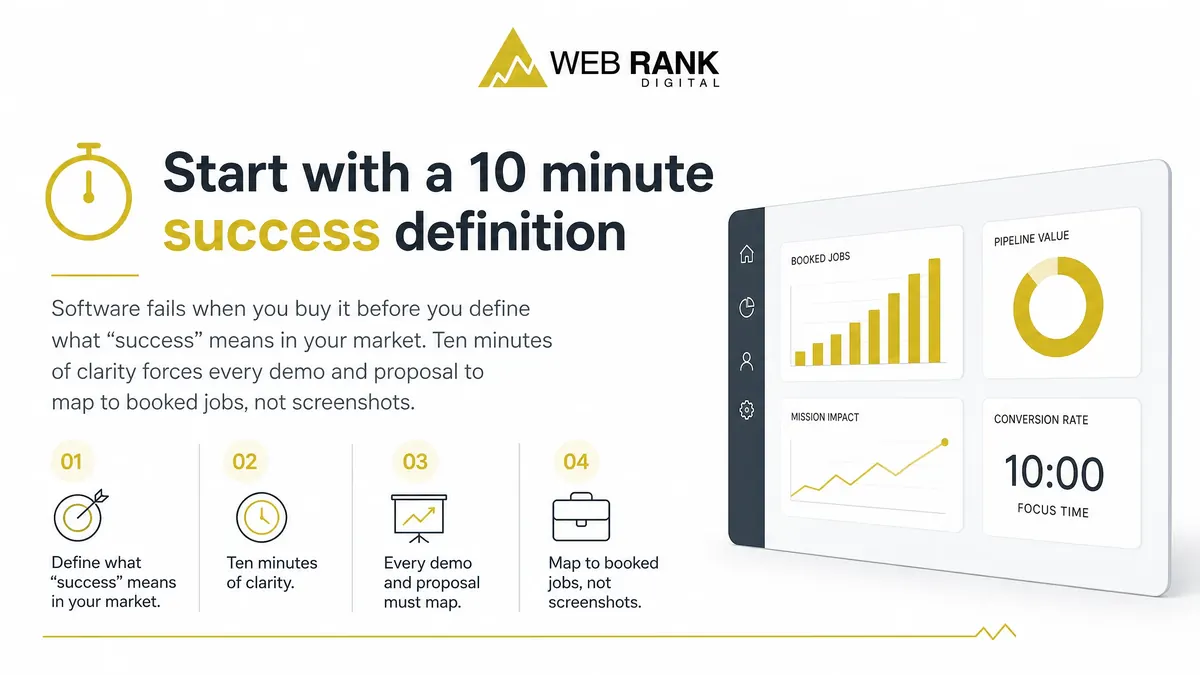
Software fails when you buy it before you define what “success” means in your market. Ten minutes of clarity forces every demo and proposal to map to booked jobs, not screenshots.
Pick your must-have channels
Decide which channels must be supported end-to-end, or you will pay for features you cannot operationalize. Home services marketing typically lives in four buckets: SEO, PPC, funnels, and reputation.
Be explicit about your paid split. Local Services Ads (LSA) and search ads behave differently, convert differently, and require different tracking and follow-up to prove booked-job impact.
Lock the scope to your service area and job types. A platform that works for “plumbers nationwide” can still fail you if you need leads only in specific ZIPs, after-hours calls, or higher-ticket replacement work versus small repairs.
- SEO: local visibility for your priority cities and job types
- PPC: LSA vs search ads, plus what “lead” means in each
- Funnels: landing pages, forms, and follow-up for speed to contact
- Reputation: review requests and responses tied to completed jobs
Choose one north-star metric
Pick one metric you will judge the system on, then make every report ladder up to it. Calls and forms are inputs. Booked jobs are the outcome most owners actually care about.
Set a cost per lead target you can afford, then pair it with a lead-to-booked conversion rate goal so you can sanity-check volume. Cheap leads with low booking rates still lose money, and high-quality leads without enough volume stall your schedule.
- Tracking set: calls, forms, and booked jobs (one source of truth)
- Target: cost per lead that fits your margins by job type
- Target: lead-to-booked conversion rate you will hold the process to
The 5 software types you are really choosing between
Most “home services marketing software” comparisons fail because they mix five different categories. Pick the category first, then evaluate vendors inside that lane based on the channels you need and how much execution you want to own.
All-in-one with guided execution
This is the closest thing to one system across SEO, ads, funnels, and follow-up, with fewer handoffs and fewer reporting gaps. You are buying both the platform and the deployment muscle to get it live.
The defining feature is accountability: an account manager owns onboarding, keeps tagging and routing consistent, and holds you to the inputs that make attribution real.
You also get funnel automation plus reporting in one place, so you can see leads move from capture to booked job without stitching dashboards together.
Field service suites with marketing
These platforms are dispatch-first systems that bolt on marketing features. They shine when you need scheduling, job workflow, and invoicing tightly connected to lead intake.
Operations integration is the reason to buy. Marketing depth varies from basic campaigns to more capable add-ons, so you have to verify what is included versus extra.
Local SEO and listings platforms
These tools focus on visibility in local search: GBP tracking, listings consistency, and citation management. They are built to protect and grow map-pack presence, not to run your full acquisition stack.
Expect rank grids and SEO audits to diagnose where you win or lose by neighborhood. Paid media and funnel automation are usually limited or handled elsewhere.
Reputation and messaging platforms
These platforms concentrate on reviews, SMS, and a unified inbox so you respond fast and stay organized. They help you turn completed jobs into more trust signals and more conversations.
Automation is typically strong for review asks, reminders, and templated replies. The tradeoff is attribution: many stop at “message volume” and struggle to tie activity cleanly to booked jobs.
Funnel builders and marketing hubs
These systems are built for landing pages, nurture sequences, and pipeline management. You use them to capture leads, follow up automatically, and track stages with lead scoring and a CRM.
The gap is specialization: home services templates and routing logic can be light, so you may need more configuration to match service areas, job types, and call-based conversion paths.
Quick comparison of real options for home services teams
ServiceTitan Marketing Pro
ServiceTitan Marketing Pro is built for contractors who want tight ops-to-revenue visibility inside ServiceTitan, not disconnected marketing reports. It puts call tracking and attribution front and center so you can tie leads to booked jobs and invoices. Best fit is when ServiceTitan is already your system of record.
Housecall Pro
Housecall Pro is a simpler all-in-one field service management (FSM) option that can cover scheduling, dispatch, and basic customer communications without heavy admin. It is typically a better fit for smaller teams that need speed and simplicity. Marketing features exist, but they are lighter than purpose-built attribution and funnel systems.
BrightLocal
BrightLocal is strongest when your priority is local SEO auditing and consistency, not end-to-end lead handling. You use it to manage citations and Google Business Profile (GBP) workflows and spot ranking and listing gaps. Best fit is an SEO-led stack where you already have separate CRM and conversion tracking.
Local Falcon
Local Falcon is a map rank grid tool that makes GBP visibility by neighborhood easy to see and explain. It is narrow by design, with limited utility outside maps performance.
Birdeye
Birdeye is a reputation operations tool: review generation plus a centralized inbox, with messaging and surveys layered in. Best fit is when you want repeatable reputation workflows across locations rather than SEO audits or deep attribution.
Web Rank Digital National Customer Accelerator
Web Rank Digital National Customer Accelerator is positioned for teams that want market-level competitor intelligence plus automated funnels across channels, with execution support attached. You also get guided onboarding and an account manager, which matters when you are trying to replace a patchwork instead of adding another login.
Use a scored checklist that forces vendor proof
Score vendors on proof, not promises. Every line item in your checklist should connect to booked-job impact and include a concrete artifact the vendor must show in-demo or deliver after.
Booked-job attribution proof
If a platform cannot show booked-job attribution, you are buying reporting theater. You need evidence that calls and forms tie to a booked status, not just “leads.”
Require a live example of call recording plus source tracking (channel, campaign, keyword or referring page) so you can audit why the phone rang. Then require the same traceability for form fills through to “booked,” including timestamped status changes.
- Call recording visible inside the contact record, with the traffic source displayed on the same screen
- Form submission mapped to a contact and job record, with a clear “booked” status field
- Reporting screenshots that show booked jobs by source, not only leads by source
30-90 day deployment plan
Make the vendor commit to a 30-90 day deployment plan with weekly milestones and named owners. If they cannot, launch risk is on you.
Ask who builds what artifacts and when you should expect time-to-first-lead based on the channels you are turning on.
- Week 1: tracking, routing, and naming conventions finalized
- Weeks 2-4: landing pages, forms, call tracking, and dashboards built and validated
- Days 30-90: optimization cadence and backlog of tests with owners
- Vendor-owned vs your team-owned artifacts (pages, automations, tags, dashboards) listed explicitly
- Time-to-first-lead expectation stated with dependencies (existing traffic, ad spend, site access)
Competitor and market intelligence
Your checklist should force market intelligence output, not just “competitor analysis” as a slide. You want service area opportunity mapping tied to your job types and ZIPs.
Require proof they can show competitor spend and positioning signals, then turn that into keyword and offer gap analysis you can act on.
- Map of priority service areas with demand and coverage gaps
- Examples of competitor messaging and offer positioning by channel
- A keyword and offer gap list that includes recommended landing page or ad angles
Funnel automation you can see
Do not accept a description of automation. Require a live funnel walkthrough in the demo so you can watch a lead enter, route, and get followed up.
Specifically verify speed-to-lead workflows and missed call text back flows, because that is where booked jobs are won or lost.
- Live demo: submit a test lead and watch routing, notifications, and logging
- Speed-to-lead: instant alerts, assignment rules, and follow-up tasks
- Missed call: automatic text-back with a tracked link and reply handling
Avoid tool sprawl by making onboarding a selection criterion
Signals your stack will sprawl
Tool sprawl starts in onboarding, not month six. You see it when a vendor can only “go live” by adding more tools and more handoffs.
Watch for these red flags before you sign:
- Separate tools per channel: one system for ads, another for SEO reporting, another for forms, another for reviews, with “we integrate it later” as the plan
- No shared attribution model: each channel reports its own leads, but there is no single source of truth for calls, forms, and booked jobs
- Handoffs between vendors: your CRM person blames your ad agency, your ad agency blames tracking, and nobody owns the outcome
Those conditions create delays, data gaps, and duplicated spend because every improvement requires coordination instead of execution.
Support that prevents churn
Real support is structured accountability. It prevents churn by making sure implementation finishes, reporting is trusted, and the next action is always clear.
Require three things in writing:
- Named account manager cadence: a specific owner and a set meeting rhythm, not a generic support queue
- Implementation ownership clarity: one party is responsible for tracking setup, integrations, and go-live criteria
- Weekly reporting and actions: a recurring review that pairs performance reporting with the changes being made next
This is the difference between buying software and running an operating system; it is also how platforms like our National Customer Accelerator stay accountable after launch.
Run the demo script that makes outcomes non-negotiable
Questions that expose fluff
A real demo is a proof session, not a tour. You are looking for evidence that the platform can connect spend to booked jobs in your service area.
- “Show me the last 30 days reporting on a real account: calls, forms, booked jobs, and the source for each.”
- “Walk one lead from capture to booked job. Show timestamps, follow-up steps, and where it shows up in the dashboard.”
- “Prove channel-level ROI: paid search vs local SEO vs retargeting, with revenue tied to each channel.”
Questions that confirm ownership
Software is easy to buy and hard to deploy. Force clarity on who owns the timeline, meetings, and implementation so nothing dies in week two.
- “Give me the deployment timeline by week. What is live by week 1, week 2, week 3?”
- “What is the account manager meeting schedule for the first 60 days, and what deliverables show up in each meeting?”
- “What do you require us to implement on our side: tracking, CRM updates, call handling, follow-up scripts?”
Where Accelerator fits best
National Customer Accelerator fits when you want the platform plus accountable execution, not another tool to configure alone. In our model, competitor-led planning and unified reporting are part of the operating system, so you can manage performance without stitching data together.
- You need all-in-one execution support, not a software login and a knowledge base
- You want competitor-led planning through our Competitor Analysis System before campaigns and funnels are built
- You must unify funnels plus reporting so booked-job outcomes are visible in one place
Booked jobs come from proof, not promises
If you want home services marketing software that actually replaces tool sprawl, make the next step a proof based demo, not another feature tour. In a National Customer Accelerator demo with Web Rank Digital, we walk through the same scorecard you just used: booked job attribution, competitor and market intelligence, funnel automation you can see, and a real 30 to 90 day deployment plan with clear ownership.
Bring your service areas, job types, and your north star metric. We will show you the reporting screenshots, the routing and follow up workflow, and what your account manager cadence looks like after launch.
Request a demo, then run the demo script from this article line by line. If we cannot prove outcomes in the live walkthrough, you should not buy it.