
Yes, customer acquisition software can be safe, but only when you can verify how it protects credentials, controls user access, and limits what integrations can touch. If a vendor cannot explain those controls in plain language, you are not buying security, you are accepting risk.
Here is what matters most right now:
- Treat “secure” as unverified until you review a written security overview.
- Assume lead and funnel data is exposed the moment you connect integrations.
- Require role-based access, not shared users, for every admin and account manager.
- Set an onboarding access timeline so elevated permissions expire on schedule.
- Enforce a shared responsibility checklist you can complete in seven days.
- Use data classification and field minimization to reduce regulated-industry risk.
- Run monthly access reviews and remove users who no longer need permissions.
We built National Customer Accelerator for operators who need predictable acquisition without treating data security as an afterthought, and our guided onboarding puts roles, permissions, and required integrations on paper before you connect accounts. If you want a direct read on your risk, book a National Customer Accelerator security walkthrough with Web Rank Digital and ask for our onboarding plan, account manager permission model, and your required integration map. Start with the core question that decides everything: is customer acquisition software safe for small business data when you are the one responsible for configuring access and integrations correctly.
Is customer acquisition software safe for small business data?
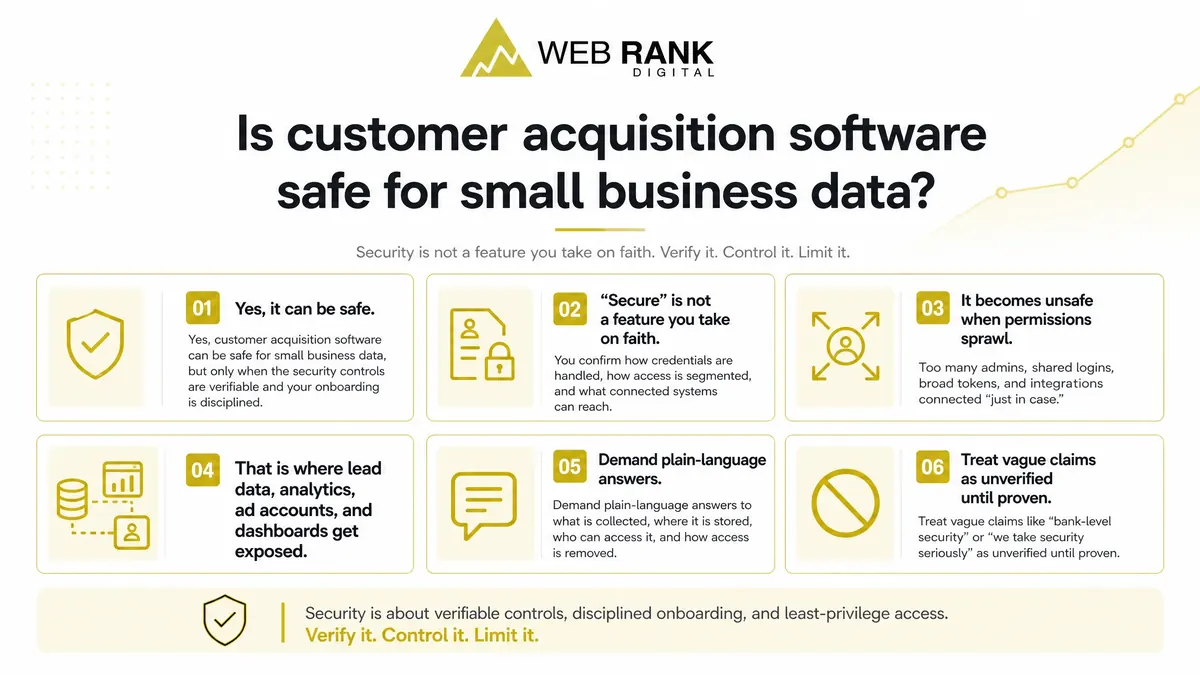
Yes, customer acquisition software can be safe for small business data, but only when the security controls are verifiable and your onboarding is disciplined. “Secure” is not a feature you take on faith. You confirm how credentials are handled, how access is segmented, and what connected systems can reach.
It becomes unsafe when permissions sprawl: too many admins, shared logins, broad tokens, and integrations connected “just in case.” That is where lead data, analytics, ad accounts, and dashboards get exposed.
Demand plain-language answers to what is collected, where it is stored, who can access it, and how access is removed. Treat vague claims like “bank-level security” or “we take security seriously” as unverified until proven.
What data is actually at risk when you connect acquisition software
The risk is not abstract. The moment you connect acquisition software, you grant access to specific datasets through logins, API tokens, pixels, and automation destinations.
Lead and funnel data
Your highest-exposure dataset is usually lead flow: forms, tracked calls, chats, and booking requests. This is the data your team touches daily, and it is often replicated across tools.
Expect the platform to store PII fields (name, email, phone, address), plus free-text notes from agents and automations. Notes are where sensitive context often lands because they are unstructured.
It also touches funnel pages and conversion events: page views, button clicks, form-submit events, and “booked” milestones. Those events can reveal intent and timing even when you minimize PII.
- Lead exports (CSV) to user desktops or shared drives
- Webhooks posting lead payloads to CRMs, Slack, email tools, or custom endpoints
- Zap-style connectors that copy fields into multiple apps
- Shared inboxes or calendars used for booking confirmations
Analytics and ad accounts
Analytics connections can expose more than reports. Google Analytics property access can allow reading configurations, events, and sometimes creating or modifying audiences and conversions depending on role.
Google Ads account permissions can expose spend history, conversion actions, and linked accounts. The risk increases when “admin” access is requested for convenience instead of the minimum needed.
Pixels, tags, and event schemas are a quiet pathway: who can publish tags, who can change event names, and where those events are sent. Audience lists and conversion definitions are business assets because they encode your targeting and what you consider revenue.
- GA4: property, data stream, and event configuration access
- Google Ads: user role level and access to conversion actions
- Tag/pixel tools: publish rights and change history visibility
- Audience lists: who can build, edit, and share them across accounts
GBP and local data
Connecting GBP (Google Business Profile) usually means granting manager access, and the level matters. Owner or primary owner access carries account-level risk that is not needed for routine operations.
Posts, messages, and reviews workflows introduce human and automation touchpoints: who can respond, who can route messages, and what gets stored in the platform. That content can contain personal details customers share voluntarily.
Local data includes location details (NAP, service areas) and categories. UTM and call tracking links add another exposure point because they can redirect traffic, change attribution, and reveal which campaigns drive calls.
- GBP role requested (owner vs manager vs site manager equivalent)
- Access to messaging, Q&A, and review response tools
- Ability to edit location fields, hours, and categories
- Control over UTM parameters and call tracking destination numbers
Vendor security checklist in the order buyers should verify it
Request the vendor’s written security overview, not a slide. Ask for real access control examples (screenshots or a live walkthrough). Verify how support can access your instance, when, and with what approvals.
Data collection and storage map
You are buying a data flow, not a dashboard. Make the vendor show a map of what they store as a system of record versus what they only process on your behalf.
Push for feature-level specificity. Lead capture, call tracking, ad account connectors, analytics events, and reporting exports often land in different places, with different retention and different access paths.
- Systems of record vs processors: What data is authoritative inside their platform, and what merely passes through from your CRM, forms, ad accounts, or phone system?
- Retention and deletion: Written timelines per data type, plus what “delete” means (soft-delete, hard-delete, backups, logs).
- Where data lives by feature: Storage locations per module and integration, including any third-party sub-processors involved.
- Export controls and audit trails: Who can export, what formats exist, whether exports are logged, and how you retrieve a complete audit trail.
Roles, permissions, and approvals
Access control is where “secure” claims become verifiable. You want role-based access control (RBAC) that matches how your team actually operates, with least-privilege roles turned on by default.
Separate managers from operators. The person launching campaigns should not be the same person who can change billing, add integrations, or grant admin to new users.
Require approvals for high-risk admin actions so mistakes are containable, not catastrophic.
- RBAC: A clear role list, what each role can do, and how custom roles are created or restricted.
- Least-privilege defaults: New users start as read-only or operator, not admin.
- Manager vs operator separation: Distinct permissions for approving budgets, editing destinations, exporting data, and changing attribution settings.
- Admin actions requiring approval: Adding integrations, rotating credentials, inviting admins, and enabling support access should require a second approver or logged authorization.
Onboarding is where most security breaks
Most exposure happens in the first week, when access expands faster than your controls. Define an onboarding access timeline (who gets access, when, and for how long), then freeze it before any credentials are exchanged.
Lock roles and permissions before you import a single lead. Otherwise you create a data set first and an access model second, which is backwards under any shared-responsibility setup.
Credential and token handling
The fastest way to create a breach-shaped hole is onboarding with shared logins and “we’ll clean it up later” access. Your rule should be simple: every human user gets their own identity, and every system connection gets its own token.
Prefer scoped tokens over full-admin access. A scoped token can be limited to what the workflow needs (read leads, write notes, trigger a tag), instead of granting blanket access to ad accounts, CRMs, and reporting data.
In our National Customer Accelerator onboarding, we treat credential handoff as a documented procedure, not an email thread.
- No shared logins: named users only, least-privilege roles, MFA where available
- Token scope: define exact objects and actions permitted before generating the token
- Revocation and rotation: where to disable access, who owns the task, and the rotation trigger (role change, vendor change, suspected compromise)
- Credential handoff documentation: what was granted, by whom, on what date, and where it is stored
Integration limits before launch
Integrations multiply risk. Launch with the minimum required connections only, then add the rest after you have validated permissions and data flow in real conditions.
- Minimum integrations: only what is required to capture, route, and report leads for the first live workflow
- Sandbox or staging: test with non-production data or a staging environment when the source system supports it
- Webhook controls: allowlists for receiving endpoints, plus IP rules when your infrastructure supports fixed egress/ingress
- Integration inventory owner: assign one person to maintain the list, approve changes, and remove unused connections
Shared responsibility model you can enforce in a week
You can reduce customer acquisition software risk fast by running a seven-day hardening checklist: inventory users, integrations, credentials, and every form field you collect.
Start with one rule you can enforce: limit admin accounts to two, and make everything else role-based.
What the vendor controls
The vendor owns the platform-side security controls. Your job is to verify they exist and that you can see evidence of them when something goes wrong.
This includes their infrastructure and secure development practices, plus whether the product produces access logs you can audit. It also includes how support staff can access your environment, and what guardrails exist to prevent “just hop in and fix it” access.
You also want crisp incident response communication: what gets reported, how fast, and who you can reach when accounts, integrations, or lead data are impacted.
What you must configure
Most data security failures in acquisition platforms happen in your settings, not in the vendor’s code. You can close the biggest gaps in a week with simple configuration discipline.
- User roles and approvals: remove shared logins, require approval for admin-level changes, and separate “build” from “publish.”
- Integration scope and revocations: connect only what you need for the current funnel, and remove old tokens and unused apps immediately.
- Credential ownership and rotation: keep accounts owned by your business (not an agency email), rotate credentials after onboarding, and rotate again after staff changes.
- Data minimization in forms: collect only fields you operationally use this month, and drop anything “nice to have” that increases exposure.
Regulated industries need marketing data guardrails, not buzzwords
In regulated industries, the safest marketing stack is the one that can prove you only collected what you need, for only as long as you are allowed to keep it. Start with data classification, then minimize fields so your forms and imports avoid sensitive data by default. You want clear rules for consent capture and retention, including where consent is logged, how updates are recorded, and how long records and audit trails are kept after opt-out.
Ask every vendor for a current subprocessor list and a change-notice process, not a vague assurance. Finally, require segmented reporting access so teams see only what they need: executives get rollups, marketers get campaign performance, and sales gets lead context without exposing unnecessary personal details.
What ongoing monitoring should look like after go-live
Ongoing monitoring is how you prevent “set it and forget it” exposure as your team, vendors, and tools change. Run a monthly access review and remove users who changed roles, left the company, or only needed temporary access, then validate admin roles are still minimal.
Maintain an integration inventory and check tokens on a cadence: confirm what is connected, who owns it, when it last authenticated, and which scopes it has so stale or over-permissioned connections do not linger.
Lock down dashboard sharing by controlling who can share, requiring named users (not public links), and auditing exports so CSV and PDF pulls are intentional. Keep an incident playbook with a clear escalation path, and in our National Customer Accelerator walkthroughs we align owners and response steps before you scale.
Verify access before you connect anything
If you are about to plug a new platform into your ad accounts, analytics, GBP, and lead flow, do not accept vague security claims. You need to see, in plain language, how credentials are handled, how roles and permissions are scoped, and how third party integrations are limited during onboarding.
That is exactly what we walk through in a National Customer Accelerator security walkthrough with Web Rank Digital. You bring your current stack and who needs access. We map the data that will be collected, confirm your account manager permission model, and outline the integrations your industry module actually requires so you can avoid permission sprawl before go live.
Book the walkthrough and request three deliverables upfront: your onboarding plan, the account manager access model, and an integration map you can approve before any accounts are connected.