The best market intelligence software for your customer acquisition goals is the one that proves its data, finds competitor gaps in your exact service area fast, and turns those insights into live funnels with accountable support.
Here is what matters most when you choose market intelligence software for local leads:
- If you cannot trace or export the data, you cannot trust the conclusions.
- You need service-area competitor gaps surfaced in days, not after a quarterly review.
- Set a proof standard: time to first lead from an insight-driven funnel.
- Avoid self-serve only support if your team needs speed and accountability.
- Compare tools by validation, gap speed, funnel build, and reporting cadence.
We built National Customer Accelerator at Web Rank Digital because we kept seeing the same failure: teams buy “intelligence,” then still have to stitch together competitor research, funnel automation, and reporting with no owner. Our Market Intelligence Engine and Competitor Analysis System are designed to connect what is happening in your market to customer acquisition workflows, with onboarding and an optimization cadence you can hold accountable. If you want to pressure test fit, the clean next step is a National Customer Accelerator demo, and you should bring your top service areas and highest margin services. Start by ruling out the two dealbreakers that waste local budgets: accuracy skepticism you cannot verify, and software that cannot turn insights into execution.
Start with the two dealbreakers that waste local budgets
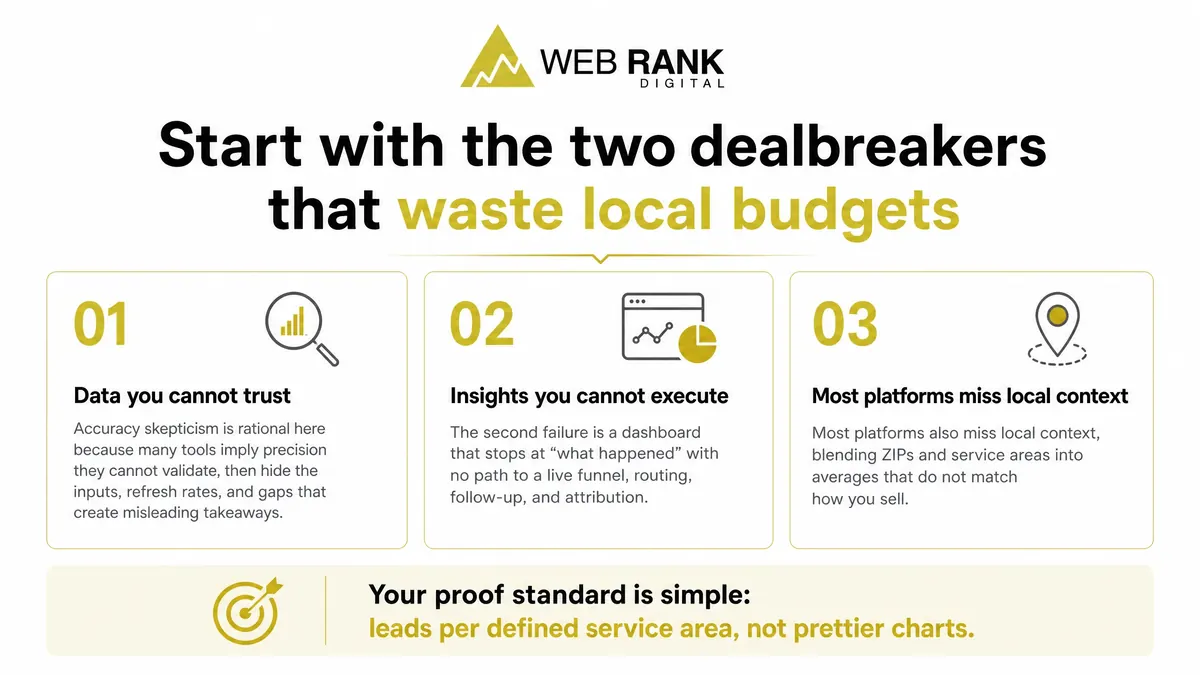
Two failures burn local budgets fast: data you cannot trust and insights you cannot execute. Accuracy skepticism is rational here because many tools imply precision they cannot validate, then hide the inputs, refresh rates, and gaps that create misleading takeaways. The second failure is a dashboard that stops at “what happened” with no path to a live funnel, routing, follow-up, and attribution.
Most platforms also miss local context, blending ZIPs and service areas into averages that do not match how you sell. Your proof standard is simple: leads per defined service area, not prettier charts.
Checklist step 1: Validate data credibility before you trust a chart
Before you accept any dashboard, require trust signals you can verify: an audit trail for where each metric came from, and clean exports you can spot-check outside the tool.
Source and refresh questions
Credible market intelligence starts with provenance and freshness, not chart design. You need to know exactly where the data originated and how recently it was updated for the specific metric you are viewing.
- First party vs scraped sources: first party inputs (your ads, calls, forms) behave differently than scraped listings or rankings; treat scraped feeds as directional until validated.
- Update cadence by data type: rankings can shift daily, reviews weekly, and business listings sporadically; stale cadence makes trendlines look stable when they are not.
- Sample size per service area: ask for counts by ZIP or radius, not national rollups, so one dense market does not distort your local view.
- Handling duplicates and spam: confirm how the system dedupes multi-location listings, repeat callers, and bot form fills before it reports lead volume.
Reconcile data with your reality
A chart is only useful if it reconciles to revenue. Pressure test every insight against your CRM and tracking stack until the story matches what your team sees in booked work.
Run three checks: map reported leads to CRM conversions, manually spot-check live SERPs in your service area, and audit call tracking plus form routing so every submission lands where you can measure it.
Then confirm attribution windows and lag. A 7-day window will undercount higher-consideration services, and a 30-day window can mis-credit prior brand demand as “new” performance.
Checklist step 2: Find competitor gaps in your service area within days
Your deliverable is a prioritized top 10 list of gap opportunities you can launch as offers and campaigns.
Define the market the right way
Speed comes from scoping the market correctly. Start with what you sell profitably, then draw a service area you can actually fulfill.
- Rank services by margin and close rate; exclude low-margin add-ons that distort demand
- Lock ZIP codes plus a drive-time boundary so you do not compare yourself to unreachable competitors
- Tag seasonal and emergency jobs separately; “now” intent behaves differently than research intent
- Note regulated categories (claims, licensing, ad policy limits) before you plan offers or ads
Run a gap scan you can act on
A useful gap scan outputs specific moves, not a dashboard. We look for gaps you can close with a page, an offer, or a positioning change.
- Keyword and category coverage: missing high-intent services, weak location modifiers, mismatched Google Business categories
- Review velocity and sentiment: competitors gaining reviews faster, repeated complaints you can out-position, unaddressed negative themes
- Offer and landing page: no financing, no same-day promise, no service-area pages, no proof elements on key pages
- Ad copy and positioning: generic headlines, no differentiator, no urgency framing for emergency demand
Checklist step 3: Force every insight to become a funnel
Your proof standard is simple: time to first lead. If the platform cannot move you from insight to a captured inquiry fast, you bought reporting, not customer acquisition.
Execution requirements that matter
Market intelligence only pays off when it ships into lead capture, follow-up, and measurable outcomes. You are not buying recommendations. You are buying a system that turns a competitor gap into a live path to contact, then tracks which service line produced the win.
- Landing pages tied to gaps: one page per identified service or geo gap, with one offer and one primary conversion
- Automations (SMS and email): immediate response, then a short nurture sequence aligned to that service’s buying cycle
- Routing (calls, forms, chat): consistent tagging and handoff rules so every channel reaches the right team fast
- Conversion tracking by service: calls, forms, and chat attributed to the exact service category so ROI is not blended into noise
Checklist step 4: Onboarding and optimization cadence that stays accountable
The fastest path to shelfware is a platform that is “self-serve” when your tracking breaks, leads misroute, or the data needs interpretation.
What good onboarding includes
Good onboarding turns market intelligence into a working acquisition system, with measurable targets and verified data.
Demand a baseline that sets benchmarks and goals before changes start, plus full tracking setup and QA so every call, form, and handoff is counted.
You also need market module configuration for your service areas and a playbook that matches your industry buying cycle, not generic tips.
- Baseline: current lead volume, close rate inputs, and target cost range you agree to
- Tracking QA: test conversions end to end, confirm attribution rules, fix routing edge cases
- Market configuration: competitors, ZIPs, services, and thresholds that trigger actions
- Industry playbooks: prebuilt workflows, follow-up timing, and offer angles your team can execute
Reporting that drives decisions
Reporting is only useful when it forces decisions on a weekly or biweekly cadence.
Require lead quality and cost trends, not just volume. The report should name the tests run, what changed, what it did, and the next actions with an owner.
Your leadership team also needs an owner-ready executive summary they can scan in minutes and approve or decline the next set of moves.
- Cadence: same day each week or every two weeks, with a pre-set agenda
- Trends: qualified lead rate, cost per qualified lead, and channel mix shifts
- Experiment log: hypothesis, change made, result, and next test queued
- Exec summary: what is working, what is not, and the one decision you need this week
How the leading options stack up for local leads
Compare tools on four criteria: data you can validate, speed to spot service-area gaps, ability to turn findings into a live funnel, and the support you actually get.
Birdeye
Birdeye wins on reputation management: reviews, responses, and visibility signals at scale.
It fits multi location teams that need consistent review workflows. Its limit is execution beyond reputation, so check whether reviews clearly attribute to calls, forms, and booked jobs.
BrightLocal
BrightLocal is strong for local SEO reporting, especially citations and rank tracking.
It can fall short on funnel automation depth. Check if your reporting cleanly segments by service area, not just “one market” averages.
HubSpot
HubSpot is the choice when CRM and automation matter most and you need pipeline visibility.
It is not built for fast local competitor gap analysis. Check how much local SEO data coverage you must add via other tools to make decisions.
Local Falcon
Local Falcon is purpose-built for local map rank grids and GBP visibility testing.
It does not cover broader market intelligence. Check your plan for turning grid movement into specific offers and follow-up sequences.
Localo
Localo is practical GBP support with guided tasks, a good fit for small teams.
Its limit is multi channel execution. Check how deep the competitor analysis goes before you rely on it for market decisions.
Web Rank Digital National Customer Accelerator
National Customer Accelerator is built for competitor intel plus automated funnels, so insights move into execution without tool hopping.
The strength is the insight to execution loop: you identify gaps, deploy follow-up, and measure outcomes in one system. It fits local lead growth systems where attribution and speed matter.
Support is part of the model, with onboarding and an account manager cadence you can hold accountable in production.
- Ask to see your service area competitor view first
- Confirm funnel handoff and booked-job attribution
- Align reporting cadence before you commit
Turn market signals into booked jobs, not another dashboard
If you are serious about using market intelligence to win local leads, the next step is simple: prove the data in your service area, identify the competitor gaps that matter, then turn those gaps into a live funnel you can measure end to end.
That is exactly what we built Web Rank Digital’s National Customer Accelerator to do. You get competitor and market analysis that ties directly into customer acquisition execution, plus guided onboarding and ongoing optimization so the plan does not stall after the first report.
Book a National Customer Accelerator demo and come prepared with two inputs: your top service areas and your highest margin services. After the demo, you will review your competitor analysis dashboard for your market and start onboarding with your assigned account manager.