
The AI market intelligence software that best drives customer acquisition in your industry is the one that turns local competitor signals into launch-ready funnel outputs, with guided onboarding so it actually goes live.
Here is what matters most when you shortlist AI market intelligence software:
- It maps your service radius and ZIP targets so you stop competing everywhere at once.
- It monitors competitor changes weekly so your decisions are current, not historical.
- It surfaces underserved services and locations so you pick a niche you can actually win.
- It translates problem-intent into keywords, ads, and pages that match real demand.
- It outputs landing pages and lead forms you can launch in days, not quarters.
- It includes guided onboarding that captures service lines and territories up front.
- It gives you weekly or biweekly performance reviews so optimization is a process.
- It offers industry-specific modules, including home services job-type segmentation.
At Web Rank Digital, we built the National Customer Accelerator to connect market intelligence to customer acquisition workflows, so you are not stuck with another tool that never gets implemented cleanly. Start by validating the most basic requirement: does the platform cover competitors by your city, service area, and ZIPs so your targeting is precise from day one.
1. Local competitor coverage by city and service area
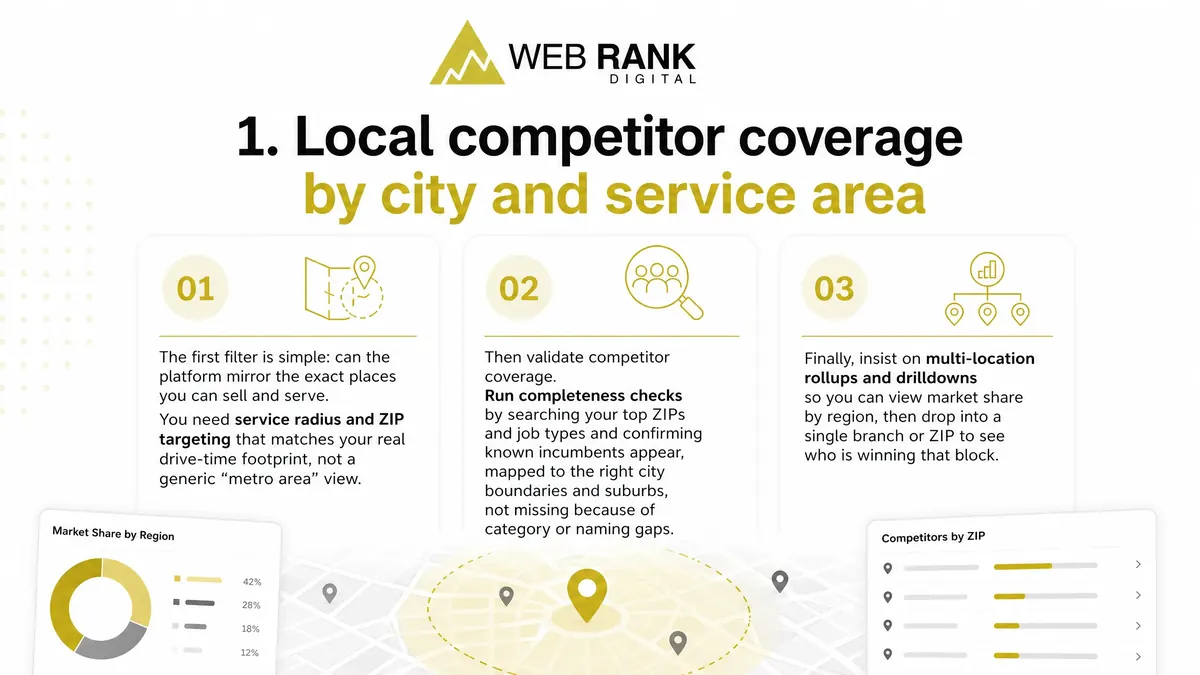
The first filter is simple: can the platform mirror the exact places you can sell and serve. You need service radius and ZIP targeting that matches your real drive-time footprint, not a generic “metro area” view.
Then validate competitor coverage. Run completeness checks by searching your top ZIPs and job types and confirming known incumbents appear, mapped to the right city boundaries and suburbs, not missing because of category or naming gaps.
Finally, insist on multi-location rollups and drilldowns so you can view market share by region, then drop into a single branch or ZIP to see who is winning that block.
2. Continuous monitoring, not one-time snapshots
Static competitor reports go stale fast in local markets, so your targeting and offers drift while competitors change the rules. You need weekly competitor change alerts that flag pricing, promos, messaging, and channel shifts before they show up as lost calls. Always-on monitoring also catches new entrants and sudden offer changes, so you can adjust landing pages and follow-up scripts in days, not quarters.
The signal only helps if it moves work, so alerts must be shareable across sales, ops, and marketing with clear owners and next actions.
3. Gap detection that points to a winnable niche
A real market gap is not “low competition” in a vacuum. It is unmet demand in a specific service plus a specific location, where competitors are absent or misaligned with what searchers want to do next. You find it by isolating underserved service-area pockets, then mapping intent clusters competitors ignore, like “same-day,” “open now,” “near me,” “cost,” and “repair vs replace” queries tied to your job types.
Your tool should score opportunity as demand versus competition: local search volume and conversion intent weighted against the number and strength of ranking businesses, ad density, and review depth, so the output is a prioritized, winnable niche you can build acquisition around.
4. Intent translation that becomes keywords, ads, and pages
The main breakdown is insight without deployment. You need each problem-intent mapped to a specific offer and page so your ads match the exact job the buyer is trying to get done (quote, book, compare, fix, replace). Then you build keyword themes by service line, not by generic category, so each line owns its own set of “near me,” “cost,” “best,” and “emergency” modifiers.
Finally, rotate message angles by stage: awareness (symptoms and outcomes), consideration (proof and process), decision (speed, pricing clarity, scheduling, and tracking).
5. Funnel outputs you can launch in days
The execution standard is simple: your software should ship a live capture and follow-up funnel fast, not just a report. You need landing pages and lead forms you can publish quickly, with consistent fields and tags so every submission routes cleanly into your CRM and workflows.
Calls matter as much as forms. At minimum, you want call tracking numbers, source-level attribution, and basic routing rules so high-intent leads reach the right team without manual forwarding.
Then automate the first week of follow-up with email and SMS sequences: instant confirmation, a short qualification prompt, and time-boxed reminders. In our National Customer Accelerator deployments, this is the baseline output you confirm in onboarding before you scale spend.
6. Guided onboarding that does the first build with you
Shelfware happens when onboarding stops at logins. Guided onboarding should start with intake that locks your revenue model: your service lines, best-margin offers, and exact territories (ZIPs, cities, exclusions), plus who answers leads and how fast.
During onboarding, the first build is a live funnel configured with you: one offer, one territory, one capture path, and one follow-up sequence so leads route correctly on day one.
Set timeline expectations up front. Milestones should be: intake complete, funnel built, tracking verified, routing tested, and launch approved. With National Customer Accelerator, we focus on getting that first funnel live before you expand into additional services or locations.
7. A dedicated operator: account manager plus optimization cadence
Most AI market intelligence software fails after onboarding because nobody owns the weekly execution. You need a dedicated account manager who runs a fixed cadence and keeps the test loop moving, not a dashboard you check once a month.
In weekly or biweekly reviews, you should see performance against the few KPIs you agreed to, plus what changed since the last cycle. A prioritized test backlog turns ideas into sequenced experiments, and every review ends with next actions, owners, and due dates. In our National Customer Accelerator engagements, that operator layer is what keeps optimization from stalling.
8. Industry-specific modules for regulated and high-competition niches
Industry modules matter because generic funnels miss the segmentation and compliance details that decide conversion. In home services, you need job-type segmentation (repair vs install, emergency vs scheduled, residential vs commercial) so routing, offers, and follow-up match urgency and ticket size. In healthcare and legal, intake has to handle eligibility, consent, conflict checks, and time-sensitive triage without turning the form into a dropout machine.
In regulated categories, your tool must enforce messaging constraints, including claim limits, required disclosures, and ad policy rules, so your copy stays publishable and consistent across channels.
9. Proof-ready reporting tied to revenue signals
Proof-ready reporting answers one question: did this create customers. You should see lead volume tied to defined quality signals, not just clicks: form completion rate, call connects, speed-to-lead, and whether leads match your service area and job type tags. Then track the unit economics: cost per lead, cost per qualified lead, and close rate by source.
For pipeline and revenue attribution, keep it basic but disciplined: every lead gets a source, every opportunity gets a stage, and every closed deal maps back to first touch and last touch in one view.
10. Centralized intelligence that sales and ops can use
Market intelligence only drives revenue when sales and ops can use it without hunting through threads and slide decks. You need one source of competitor notes: what they offer, where they win, where they are weak, and which claims your team is hearing live.
Then close the loop. When reps report a new objection or a competitor drops pricing, that field feedback should flow back into targeting so your segments, messaging, and routing update fast.
Finally, make it shareable but controlled: role-based dashboards, team views, and permissions so reps see battlecards and ops sees performance drivers, without everyone editing the same core data.
11. A clear expansion path: start one service line, then scale
Expansion works when you scale a proven offer, not a pile of ideas. Pick one high-margin service line you can fulfill consistently, then use your AI market intelligence software to validate it in one priority area where demand and competitive gaps are clearest. Track leads to booked jobs and margin, not just traffic.
Once the funnel and follow-up are stable, replicate the same winning inputs across locations:
- Same offer and positioning
- Same keywords, audiences, and routing rules
- Same automation and reporting definitions
- Only localize service-area specifics and competitor gaps
This is the operating model we built into National Customer Accelerator, so you expand by copying a working system, not rebuilding from scratch.
Turn market signals into leads, not more dashboards
If your current market intelligence ends at charts and competitor lists, you are doing the hard part without getting the outcome. You need a system that translates local gaps into an offer, launches the funnel, and tracks what turns into booked work and revenue signals.
That is what we built the National Customer Accelerator to do. In a guided demo, we will walk through competitor coverage for your city and service areas, then show you how we turn those findings into launch-ready funnel outputs with follow-up and reporting.
Schedule your National Customer Accelerator demo with Web Rank Digital and request a competitor analysis for your city and industry. Come prepared with one service line you want to win first, and ask us to confirm funnel setup is included during onboarding. Once results are predictable, you expand from there.